01
Scan your pages
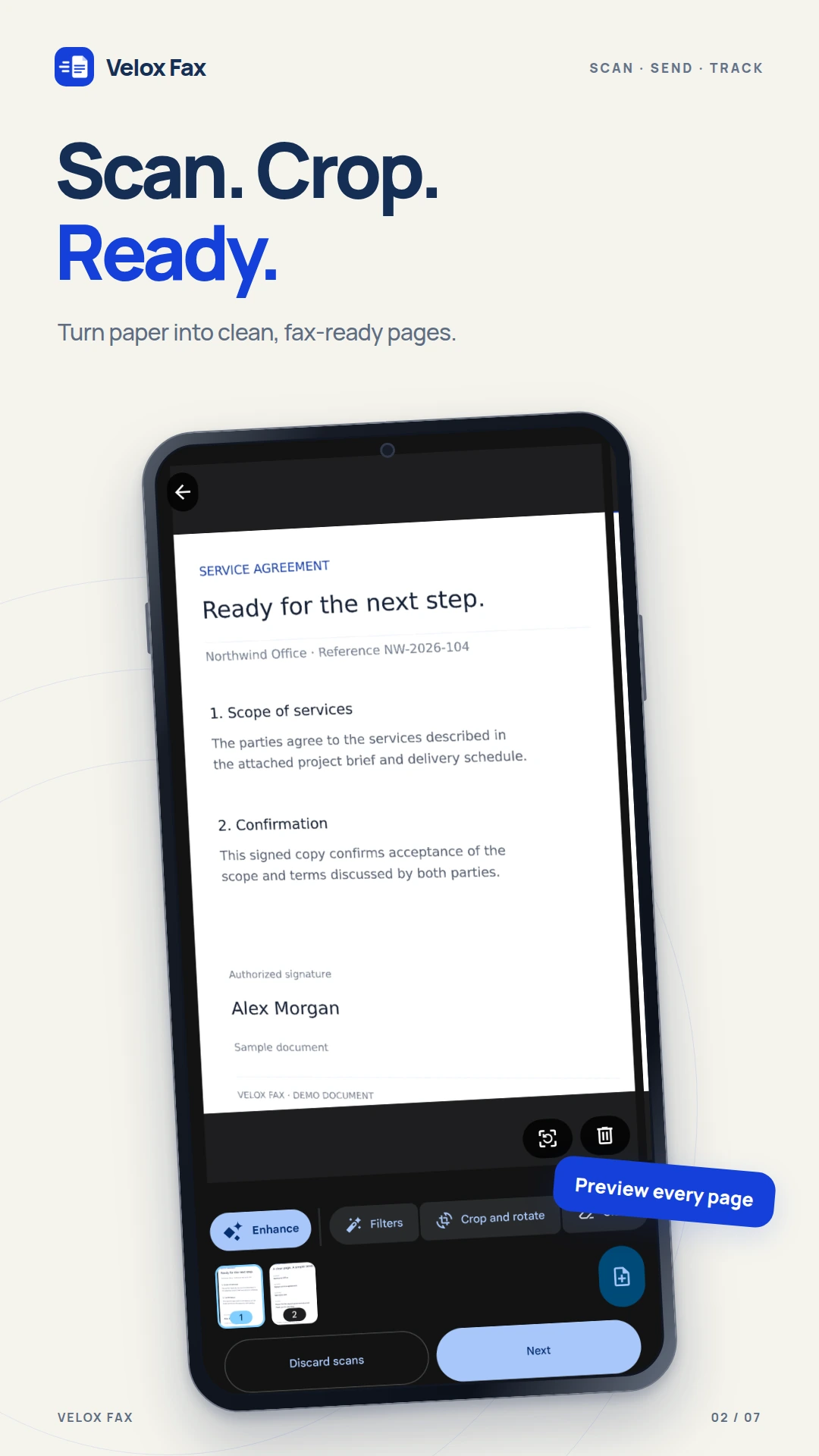
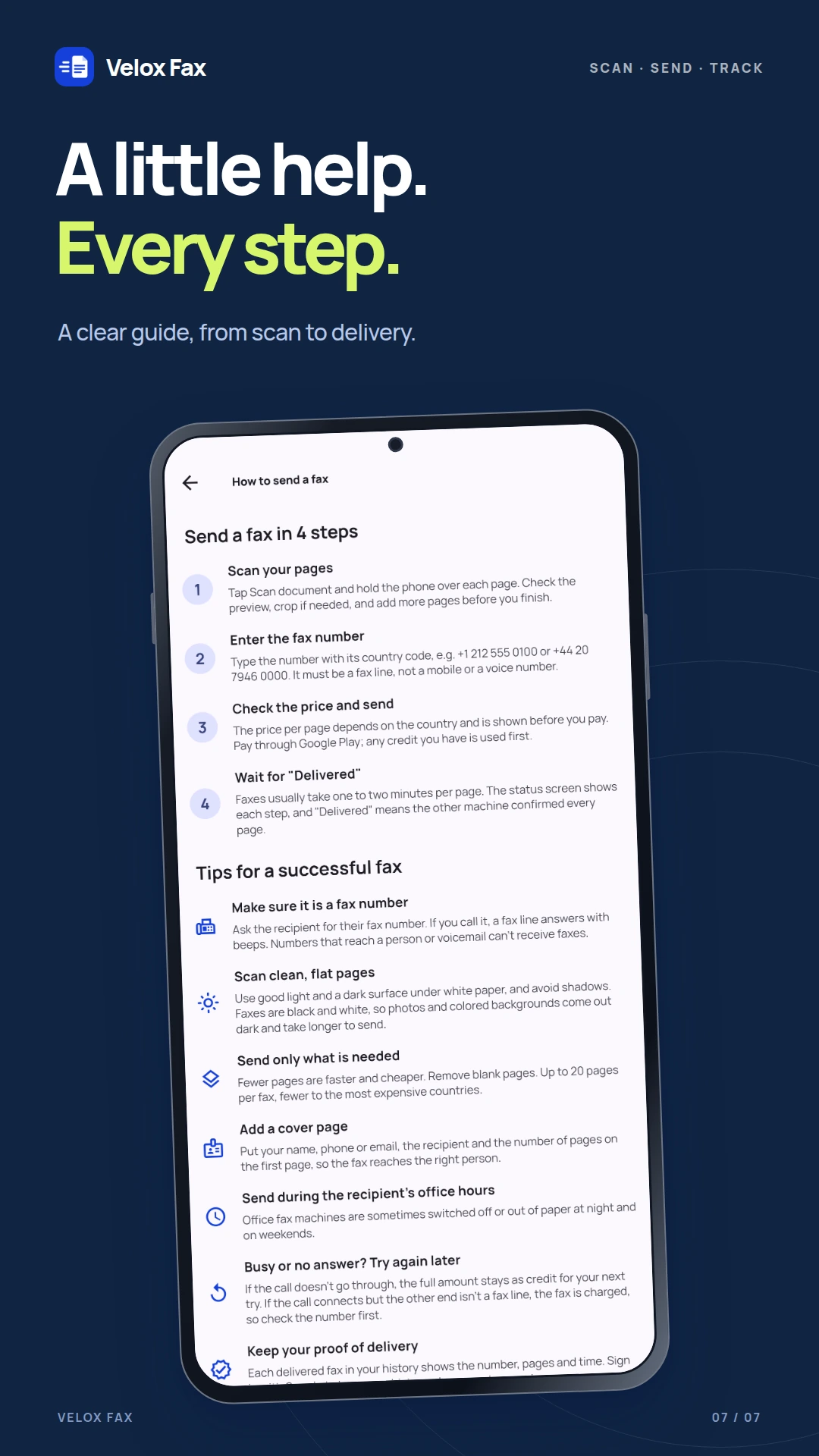
Capture the document with the built-in scanner. It detects edges, crops and straightens your pages. Check the result before continuing.
ANDROID APP / FAX & DOCUMENTS

Velox FaxScan · Send · Confirm
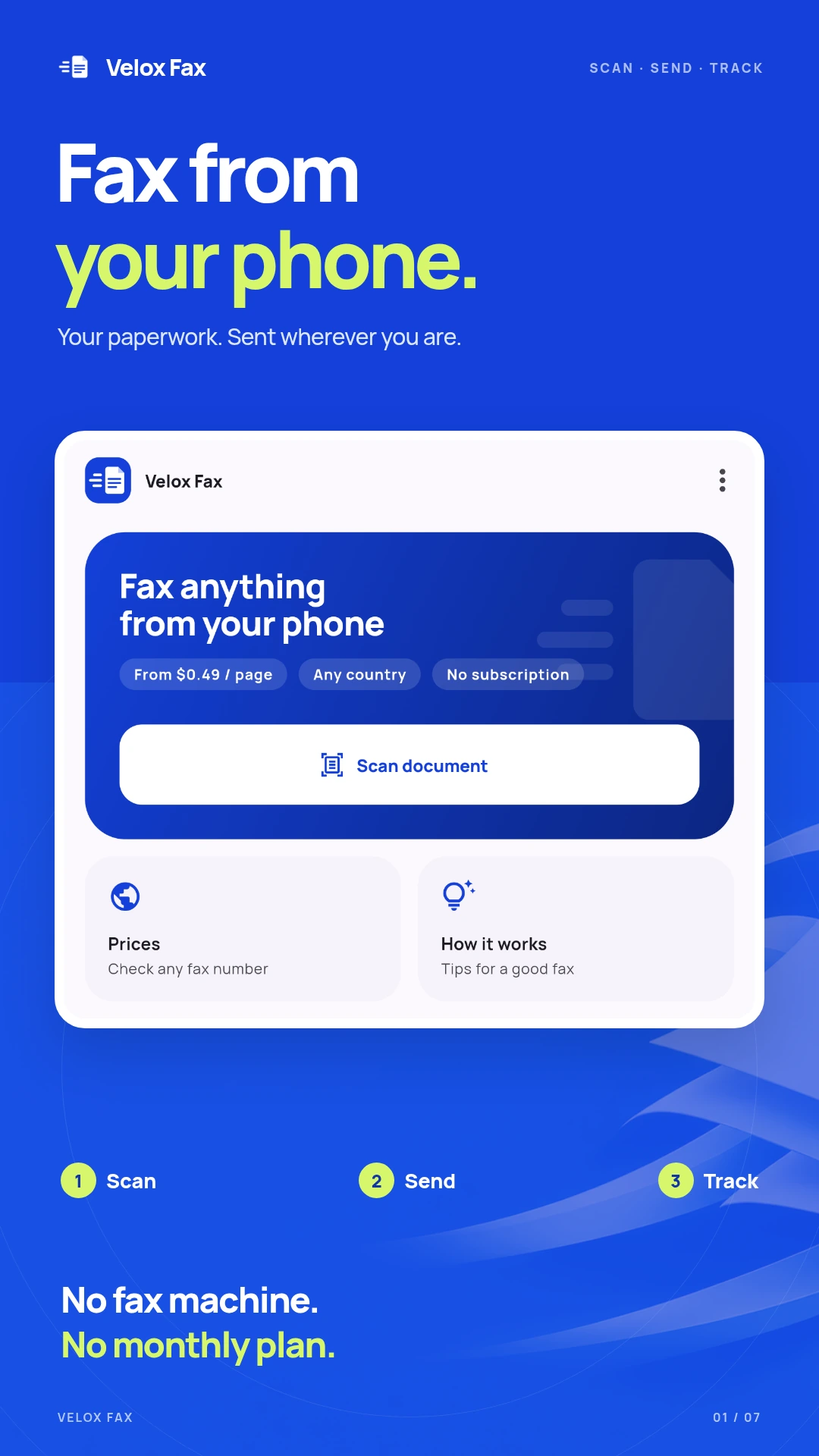
Velox Fax turns documents scanned with your phone into faxes sent to fax numbers in over 200 countries. Scan your pages, enter the recipient’s number and see the cost before you pay.
Developed by Creativ Digital · Android 7.0+
HOW IT WORKS
01
Capture the document with the built-in scanner. It detects edges, crops and straightens your pages. Check the result before continuing.
02
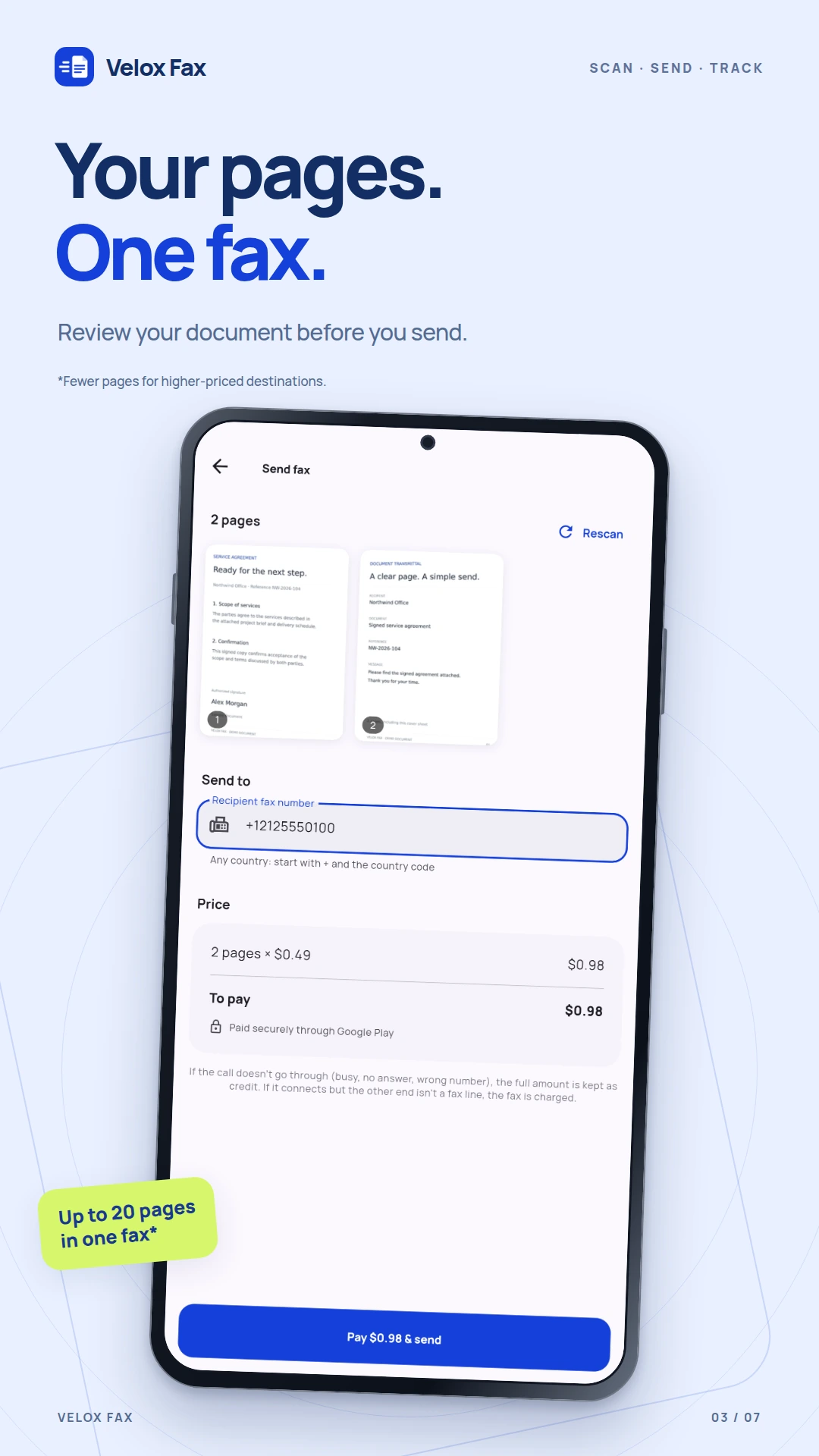
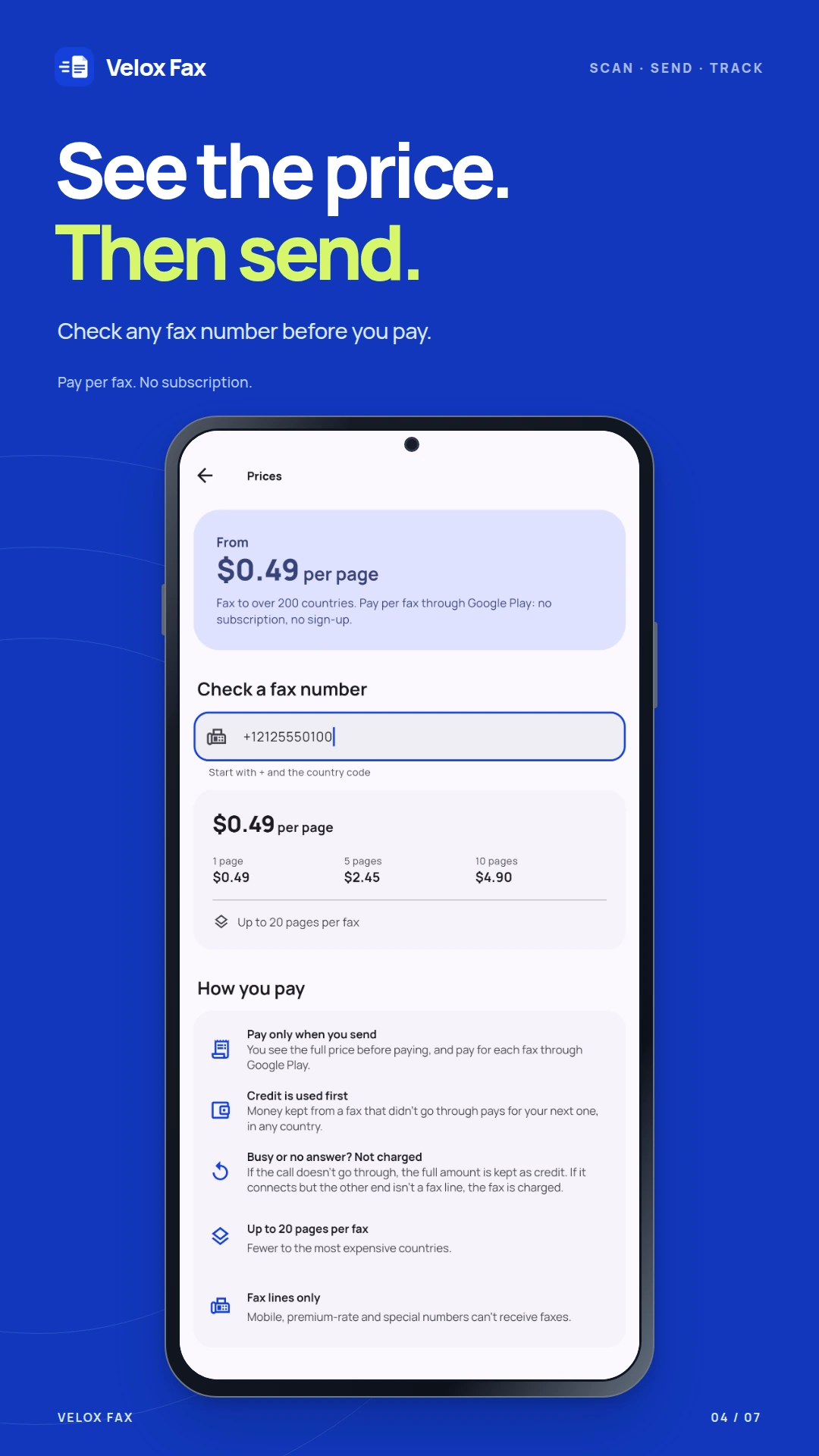
Enter the fax number with its country code. The app shows the cost for your destination and page count before you pay through Google Play.
03
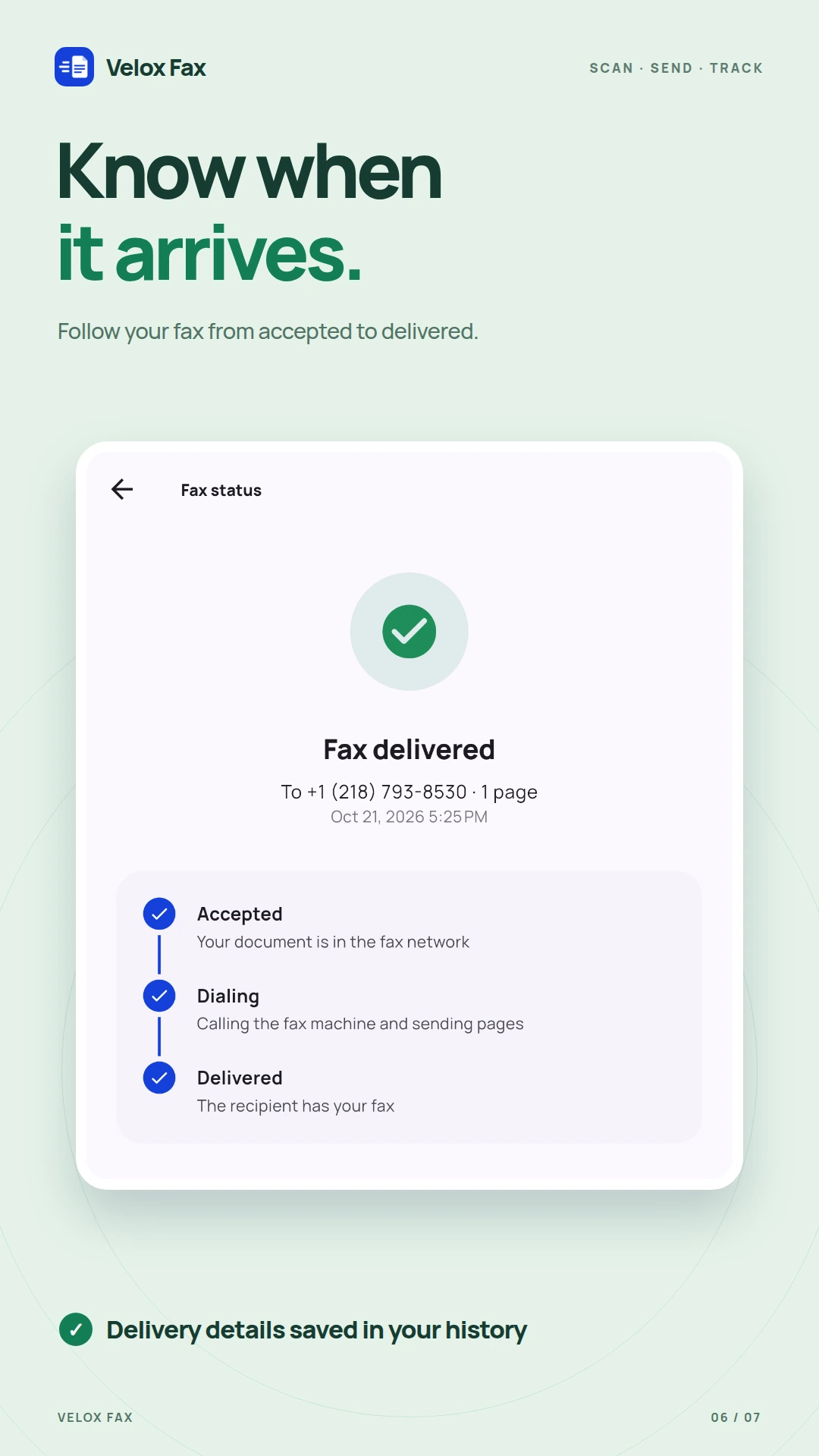
Follow your fax from accepted to dialling to delivered. Delivery is confirmed when the recipient’s fax machine acknowledges every page.
INSIDE THE APP
Explore the app’s screens. Select a screenshot to see it in full.
KEY FEATURES
Scan, crop and check your pages on your phone. Rescan anything that is hard to read and prepare up to 20 pages in one fax.
Check the rate for any fax number before you even scan. Pay for your fax through Google Play, based on the destination and number of pages.
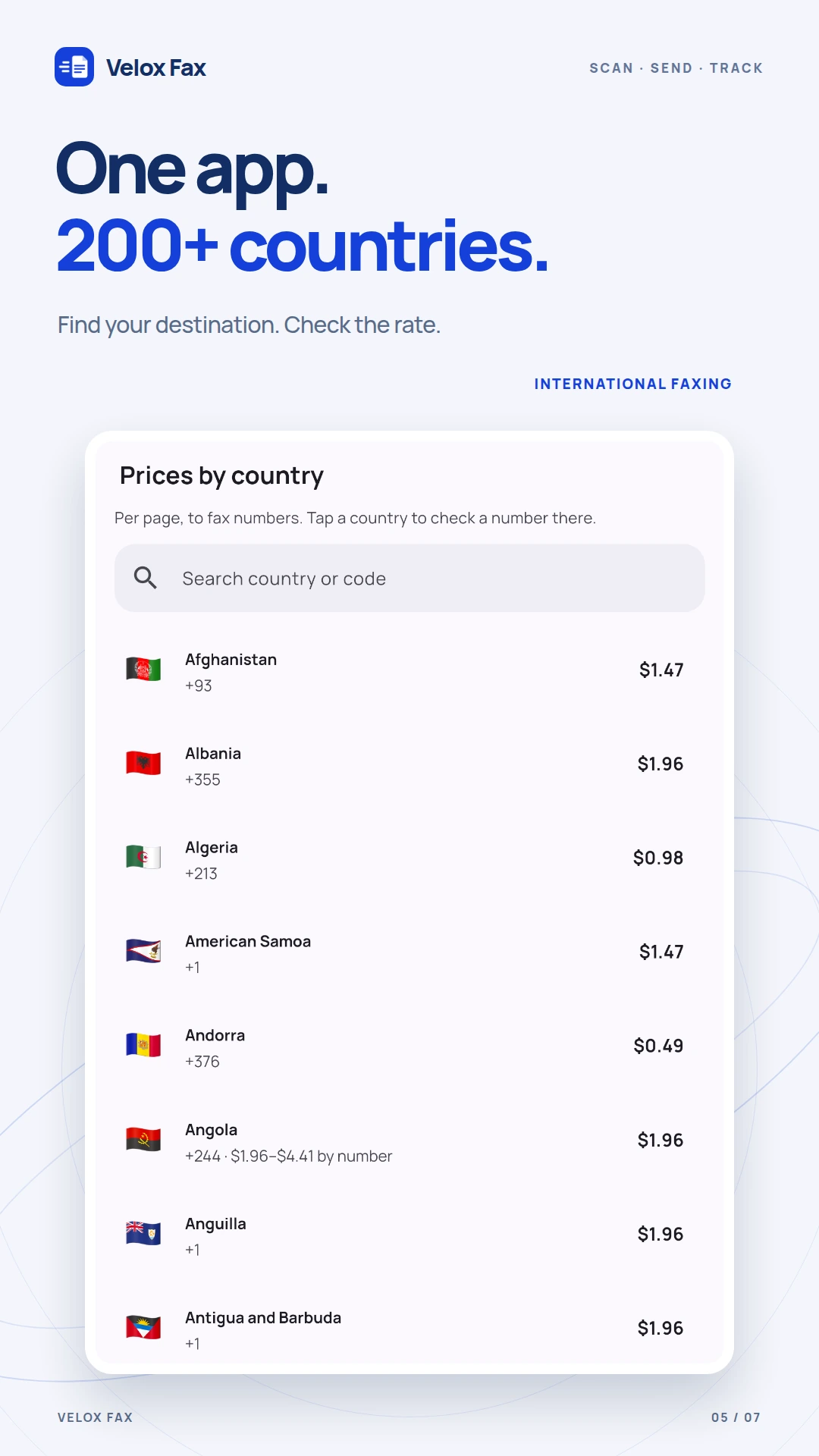
Send to fax numbers in over 200 countries, including the US, Canada and countries across Europe. Browse the app’s country list for available destinations and rates.
Follow delivery in real time. Your history keeps the recipient’s number, page count, date and outcome of each fax so you can return to its delivery details.
No. Scan and send your documents from your Android phone. You pay per fax through Google Play, with no monthly plan.
Velox Fax is free to download and shows ads. Sending faxes is a paid service. The cost depends on the destination and page count, and you see it before you pay.
Velox Fax sends faxes and does not provide a number for receiving them. The recipient needs a valid fax number; mobile and premium-rate numbers cannot receive faxes.
The full amount stays on your account as credit for your next fax. If the call connects but the number is not a fax line, the fax is charged. Check the number before paying.
You can use the app without signing up. Optional Google sign-in lets you keep your history and credit when you change phones.
Your document is deleted from the app’s servers as soon as the fax is delivered or fails. Your history keeps the sending details. You can delete your account and data from the app.
Scan the document, check the price and follow delivery. Download Velox Fax on Google Play.
