For most Shopify merchants, visual merchandising slows down long before anyone touches the theme editor. The real bottleneck is traditional studio economics: standard white-background packshots commonly run $25–$75 per image, while styled lifestyle or on-set scenes easily climb to $100–$500+ per shot once you factor in studio hire, prop sourcing, shipping physical samples, and post-production retouching.
Waiting two to three weeks for a physical shoot kills momentum when you are launching seasonal SKUs, refreshing ad creative for Q4, or validating product demand before committing inventory budget. Worse still, stores pulling distributor catalogs end up sharing the exact same flat manufacturer cutouts as dozens of competing shops—or leave draft product pages bare until samples clear customs.
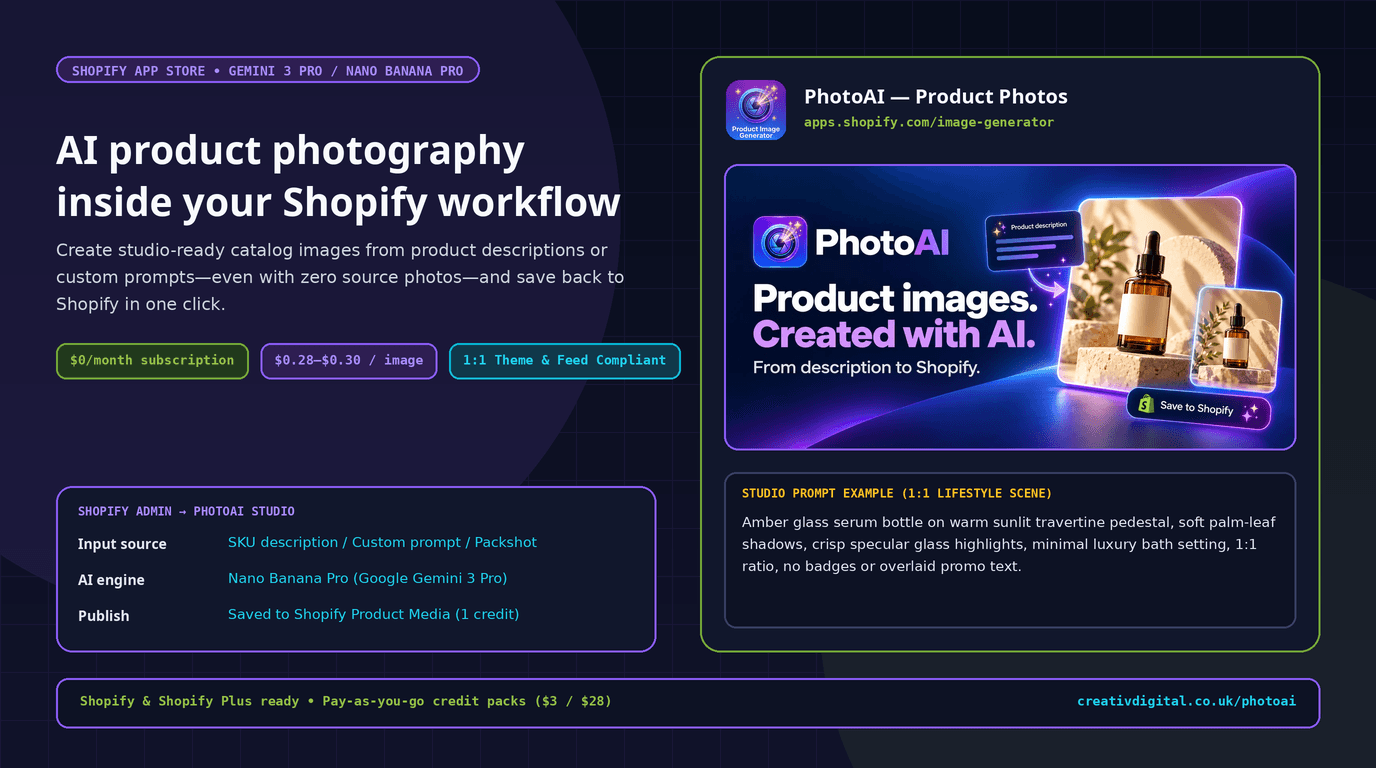
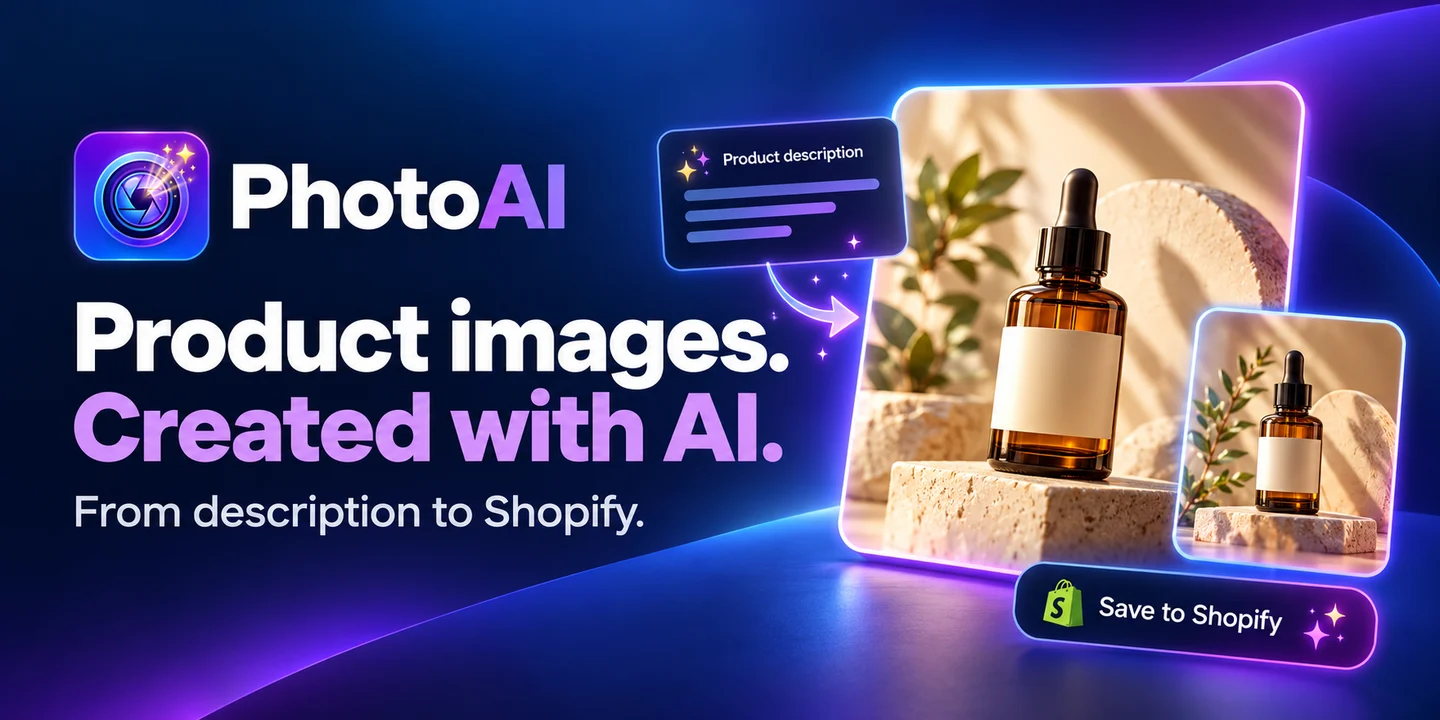
We built PhotoAI — Product Photos for Shopify (powered by Nano Banana Pro / Google Gemini 3 Pro) to bring product image creation directly inside your Shopify catalog workflow—with zero desktop download/upload friction and zero recurring monthly fees.
Inside the 4-Step Shopify ↔ PhotoAI Pipeline (Zero Source Photo Needed)
Generic AI image generators force store managers into a tedious manual loop: copy SKU copy from Shopify, write prompts in a separate browser tool, inspect downloads, crop dimensions manually, and re-upload assets one by one. PhotoAI removes those handoffs by operating straight on your Shopify store catalog:
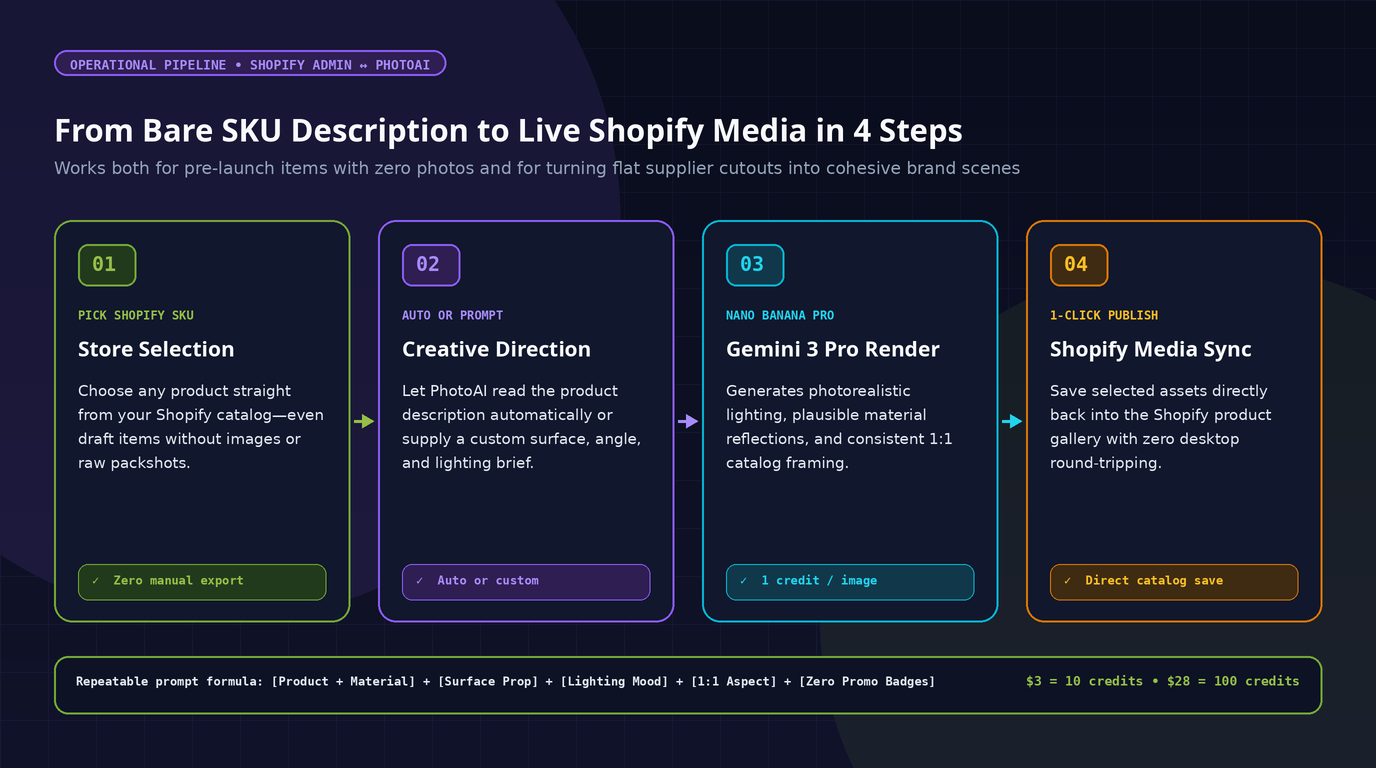
- Select the SKU inside Shopify: Pick any product from your store catalog—including draft SKUs with zero existing photos or items stuck with bare supplier packshots.
- Generate from SKU description or custom prompt: Let PhotoAI read your existing product description automatically, or enter a controlled custom prompt specifying surface material, lighting angle, and mood.
- Render with Nano Banana Pro (Gemini 3 Pro): Google's Gemini 3 Pro image engine produces realistic surface contact shadows, believable glass/metal specular highlights, and balanced square catalog framing.
- Save straight to Shopify in one click: Selected visuals push directly back into Shopify Product Media. Pricing stays pay-as-you-go at 1 credit = 1 generated image (
$3for 10 credits =$0.30/image, or$28for 100 credits =$0.28/image) with zero mandatory monthly subscription.
4 Practical Shopify Situations Where PhotoAI Replaces Studio Delays
High-performing Shopify teams get the most value from AI product photography when they deploy it deliberately across concrete operational bottlenecks—not as a gimmick:
Situation 1: Dropshipping & Distributor Feeds Where 20 Stores Share Identical Cutouts
If you import SKUs via supplier CSVs or wholesale feeds, you immediately face two problems:
- Competitors run ads and collection pages using the exact same plain factory cutouts, erasing brand trust before a visitor ever reads your copy.
- Secondary colorways or bundle listings frequently ship from suppliers with incomplete or mismatched imagery.
How merchants use PhotoAI: Keep one clean, uncluttered packshot in position 1 when required for marketplace feeds, then generate cohesive brand-matched lifestyle visuals for gallery slots 2–4 and social ad variations—putting every catalog SKU on the same warm travertine, walnut desk, or neutral concrete surface so the store feels intentionally art-directed.
Situation 2: Seasonal Campaigns & Ad Creative Refreshes Without Booking Another Shoot
Winning SKUs rarely change physically from quarter to quarter, yet static ad creatives fatigue quickly in Meta and TikTok auctions. Shipping 30 bestsellers back to a studio in October solely for holiday gifting visuals costs thousands and routinely misses early campaign launch windows.
How merchants use PhotoAI: Select your top margin products inside Shopify and generate seasonal variations using targeted lighting and prop prompts—soft tungsten pine/kraft gifting themes for Q4, bright daylight stone surfaces for summer—at $0.28–$0.30 per generated asset instead of $150+ per styled set shot.
Situation 3: Pre-Launch Waitlists & Draft Product Pages Before Inventory Lands
Brands often test customer appetite and build launch waitlists while first production batches are still in transit. Launching a landing page with blank placeholders kills paid-click credibility, yet commissioning bespoke studio photography before demand is validated ties up early capital.
How merchants use PhotoAI: Create draft products in Shopify with clear specifications and generate initial concept photography directly from the product description or custom prompt. Once real inventory lands and conversion signals prove out, supplement those galleries with physical studio photography of the final production units.
Situation 4: Enforcing Uniform Collection Grids & Google Shopping Compliance
Two technical media mistakes silently hurt Shopify stores—staggered collection cards and preventable Google Merchant Center disapprovals:
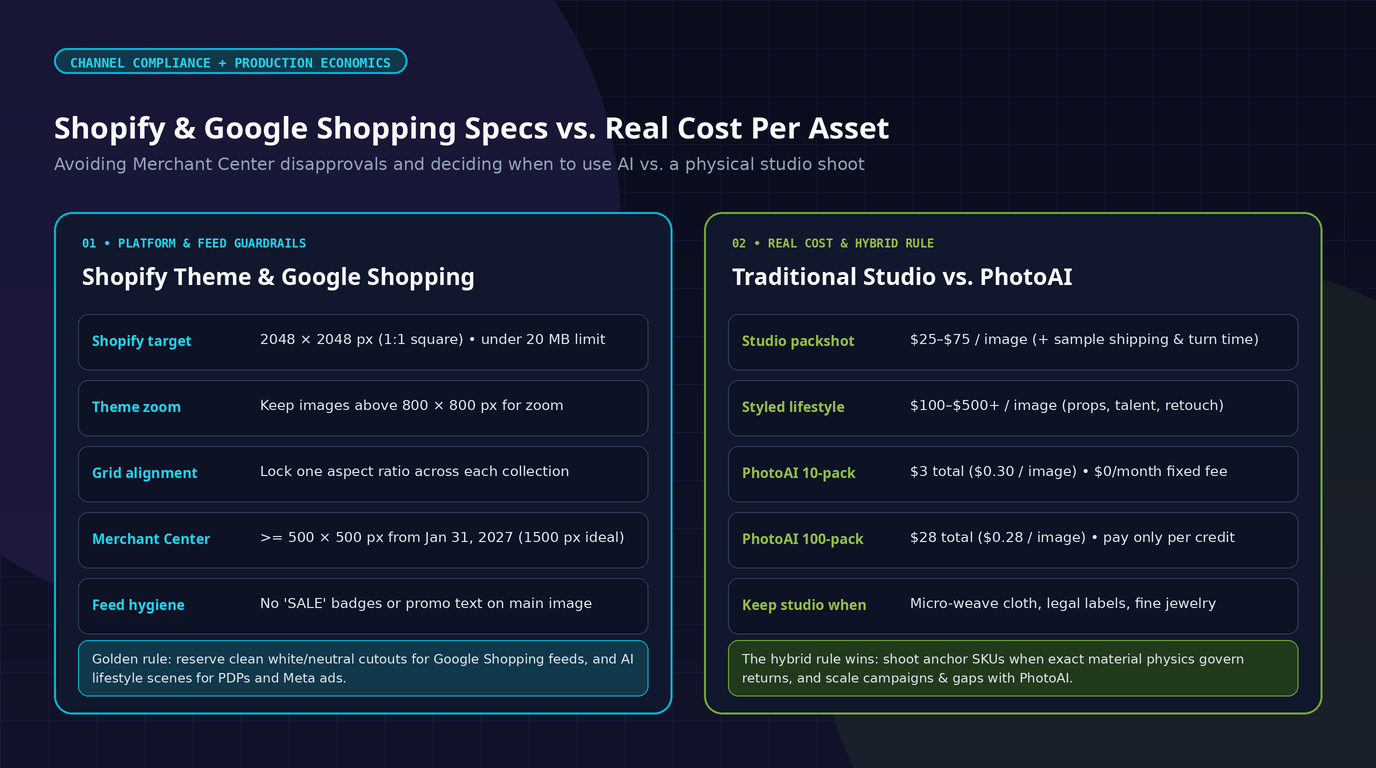
- Consistent aspect ratios across Shopify themes: Shopify's official media guidelines recommend
2048 × 2048 px(1:1square) assets (under20 MB) and emphasize keeping one identical aspect ratio across primary product images—while staying above800 × 800 pxso storefront lightbox zoom triggers properly. Mixing square, portrait, and landscape hero shots creates ragged, uneven rows on collection grids. - Google Merchant Center minimums & overlay bans: Effective January 31, 2027, Google strictly enforces a
500 × 500 pxminimum floor across all Shopping listings (with1500 × 1500 pxrecommended for sharp retina rendering). Google also bans"SALE"badges, watermarks, overlaid logos, borders, or placeholder graphics on primary feed images.
Separating channel roles solves this cleanly: reserve plain, badge-free images for your Shopping feed primary slot, and use PhotoAI to produce clean 1:1 editorial and lifestyle scenes free of baked-in promotional text overlays.
Prompt Engineering Blueprint: 5 Shopify Product Categories That Convert Cleanly
When switching from auto-description generation to Custom Prompt mode in PhotoAI, avoiding vague adjectives ("luxury, epic, best-selling") and specifying concrete physical lighting yields markedly stronger catalog outputs:
[Subject + True Material] + [Surface & Props] + [Light Source & Shadow Direction] + [Clean 1:1 Framing] + [Zero Promo Badges]
| Shopify Category | Effective Prompt Direction | Why It Works on Storefront & Ads |
|---|---|---|
| Skincare & Cosmetics | Amber glass serum bottle on warm travertine stone slab, soft morning sunlight from camera-left, subtle palm-leaf shadows, neutral bath backdrop, zero text | Preserves believable glass translucency without cluttering label space |
| Apparel & Leather Goods | Structured emerald leather tote centered on matte limestone plinth, diffused studio softbox lighting, crisp stitching edge contrast, square framing | Highlights leather grain and silhouette cleanly on collection cards |
| Consumer Electronics | Matte-black wireless headphones resting on warm walnut desk beside minimal aluminum stand, subtle cool rim light, uncluttered background | Establishes desk context while keeping physical controls readable |
| Home & Kitchenware | Glazed cream stoneware mug on pale oak counter, soft directional window light, gentle steam, shallow background bokeh | Communicates everyday tactile warmth for homeware landing pages |
| Fine Accessories & Watches | Brushed stainless watch resting on dark charcoal suede block, controlled pinpoint key light, crisp dial contrast | Prevents blown-out metallic highlights on small reflective objects |
The Honest Hybrid Rule: Where a Physical Camera Still Wins
Modern generative models like Nano Banana Pro (Gemini 3 Pro) dramatically lower the marginal cost of ambient scenes, seasonal swaps, and empty-SKU prototyping. Still, an experienced Shopify operator knows where real photography protects margins and lowers return rates:
- Garment drape, fit, and knit weave: Shoppers buying fitted apparel rely on real body proportions and accurate fabric texture to pick the right size.
- Color-critical cosmetics & paints: Foundation undertones, lip shades, and dyed upholstery fabrics cannot tolerate even minor shifts in color temperature without driving returns.
- Legally mandated label close-ups: Nutrition facts, medical disclaimers, CE markings, and full INCI ingredient lists must always come from verified photographs of physical packaging.
- Multi-facet jewelry & optical refraction: High-ticket diamond and gemstone close-ups still benefit from true macro lens optics.
The most resilient setup combines both: shoot physical anchor shots where material truth governs returns, and use PhotoAI to eliminate supplier-photo uniformity, ship pre-launch visuals, and iterate ad creatives at $0.28–$0.30 per image.
Building or Scaling a Shopify Store?
You can install PhotoAI on the Shopify App Store for free and test a 10-credit pack for $3 with zero monthly commitment, or review the full feature overview on our PhotoAI product page.
If your team is planning a custom Shopify or Shopify Plus build, migrating away from WooCommerce or Magento, or wiring custom AI workflows directly into your ERP and catalog operations, explore our Shopify development services, check our AI & Machine Learning engineering capabilities, or reach out directly.
Frequently Asked Questions
Can PhotoAI generate Shopify product photos if I have zero existing images?
Yes. PhotoAI can generate commercial product imagery straight from your Shopify SKU description or a custom prompt—useful for pre-launch waitlists and incomplete supplier catalogs.
Which AI engine powers PhotoAI, and is there a monthly subscription?
PhotoAI runs on Nano Banana Pro (Google Gemini 3 Pro) and carries $0/month mandatory fees. You install the app free and purchase pay-as-you-go credit bundles ($3 for 10 credits or $28 for 100 credits), where 1 credit equals 1 generated image.
How do generated images get added to my Shopify store?
You pick products directly inside your connected Shopify catalog, generate new variations from product data or prompts, and save chosen outputs straight back into Shopify Product Media in one click.
Can I use AI-generated product photos on Google Shopping?
Yes—provided your main feed image strictly follows Google Merchant Center specs: at least 500 × 500 px (1500 × 1500 px recommended), accurate representation of the shipped item, and zero overlaid sale badges, pricing text, watermarks, or borders.