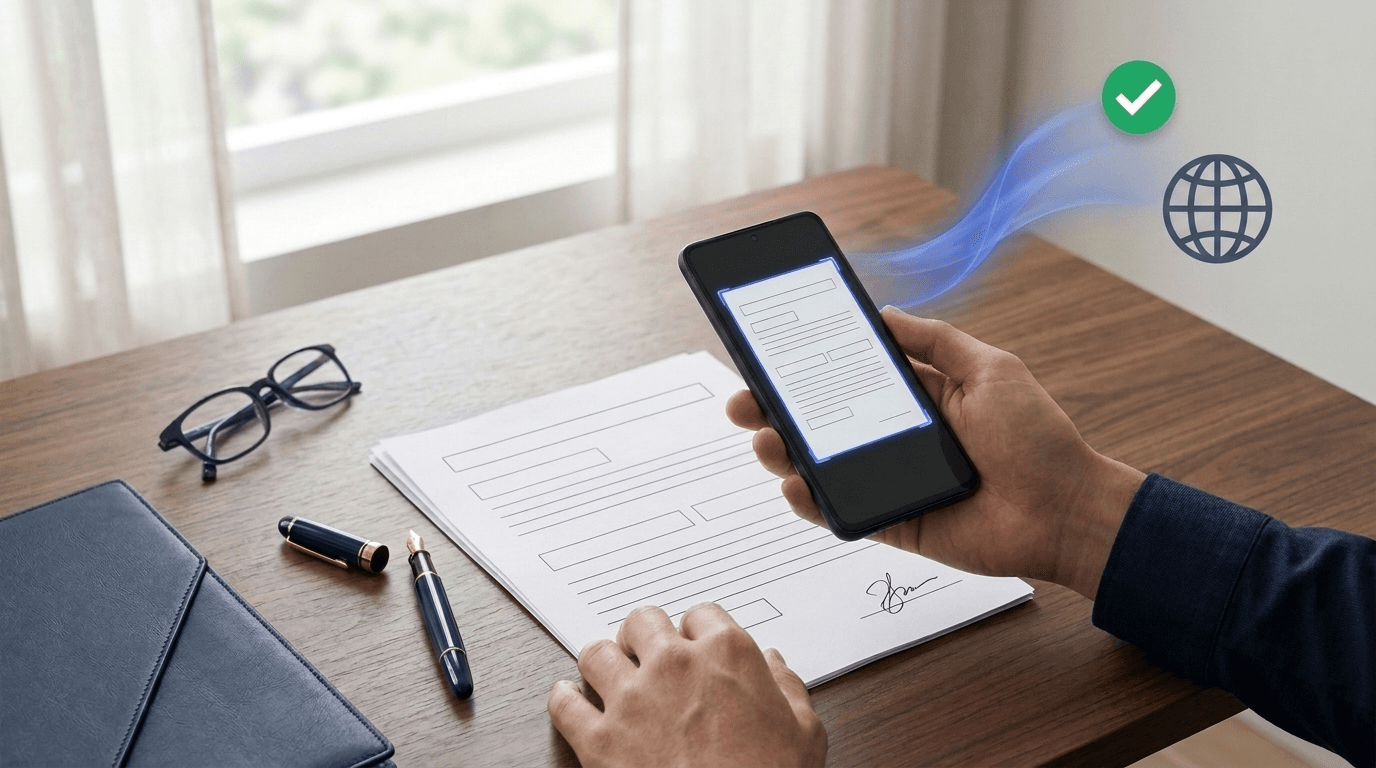
Even in 2026, trying to send signed tax paperwork to HMRC or the IRS, a medical referral to a specialist clinic, a property agreement to an overseas solicitor, or an urgent claim to an insurer often hits the exact same wall: "Please fax the signed pages to this number."
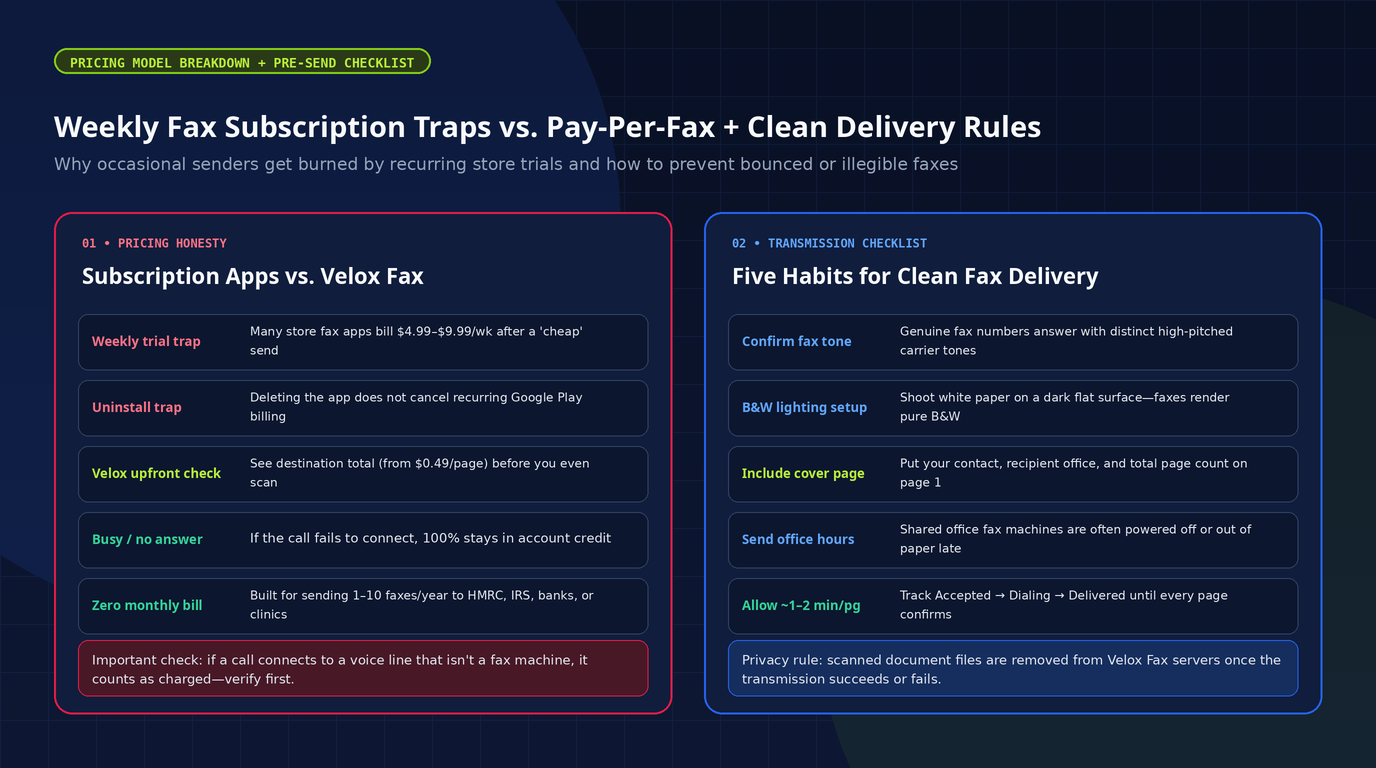
Hardly anyone misses bulky thermal paper machines, yet turning your Android phone into a fax sender quickly reveals a bigger frustration on app stores: almost every popular mobile fax app advertises a "cheap first send" or trial, then quietly locks occasional users into $4.99–$9.99/week recurring subscriptions ($250–$500+ a year if forgotten)—and uninstalling the app does nothing to stop store billing.
We built Velox Fax for Android around the opposite rule: zero weekly or monthly plans, no mandatory account creation, upfront per-destination pricing shown before you pay, and real-time delivery status from your phone.
Why Healthcare, Tax Authorities, and Legal Teams Still Demand Fax
Behind the scenes, most institutions replaced noisy physical machines with digital cloud-fax servers years ago. Yet inbound fax numbers remain mandatory in sensitive industries for four practical reasons:
- Timestamped transmission receipts: Ordinary emails silently land in spam filters or bounce unpredictably without legal proof of receipt. A completed fax handshake returns confirmation that the receiving machine accepted every page at a specific date and time.
- Universal interoperability: A hospital running Epic EHR, a neighborhood pharmacy, and a private dental specialist rarely share compatible secure portals. A fax number acts as the common denominator any organization can receive without building custom API bridges.
- Resilience against email phishing and malware: An incoming monochrome fax image cannot drop executable macros or credential-stealing links into an office mail client—making risk-averse legal and insurance compliance officers reluctant to accept arbitrary inbound email attachments.
- Statutory & regulatory procedures: Government forms worldwide (including IRS employer ID filings, HMRC correspondence, customs clearance paperwork, and court filings) still explicitly list fax delivery in formal submission guidelines.
How Velox Fax Works End-to-End (From Desk to Delivery Confirmation)
Instead of juggling a third-party PDF scanner, manual crop adjustments, and an opaque web form, Velox Fax keeps scanning, rate lookup, Google Play checkout, and delivery tracking in one focused workflow:
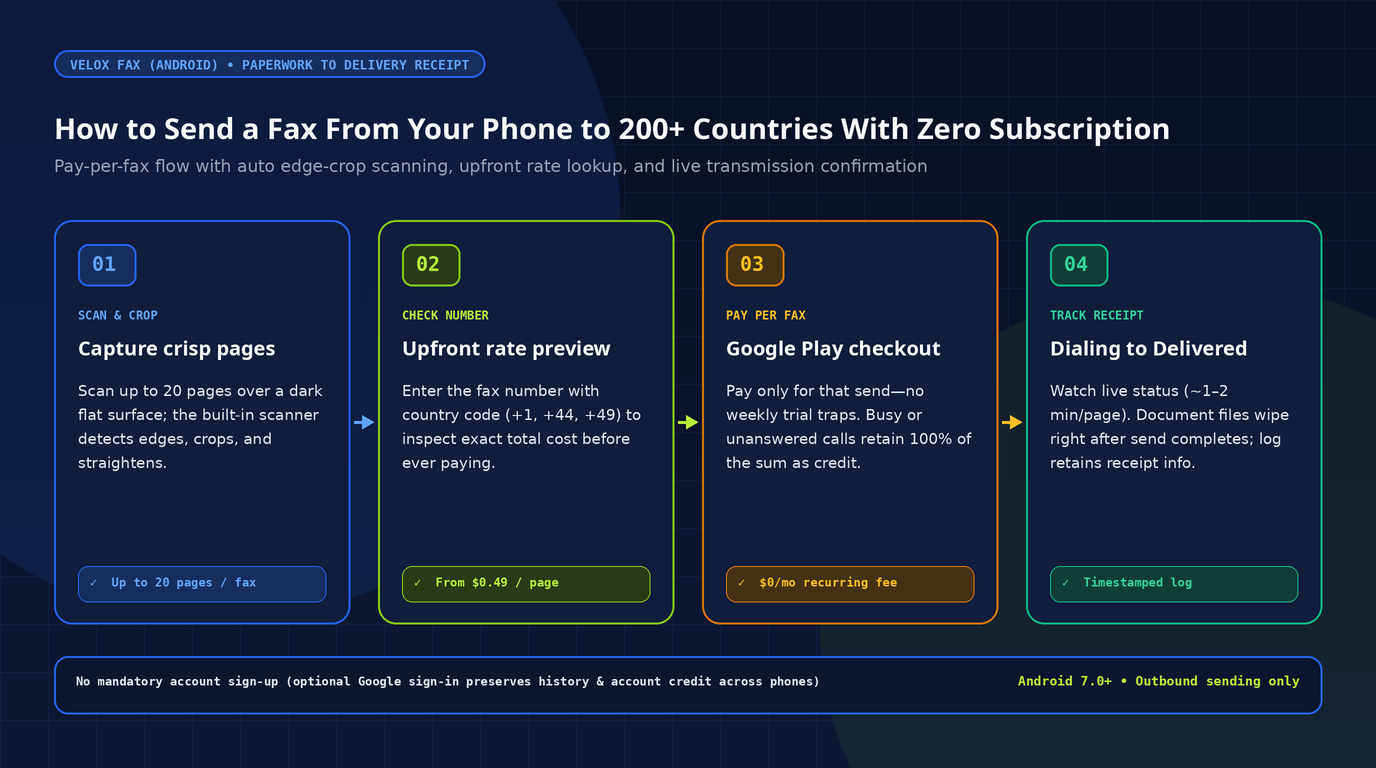
- Scan and verify each page: Photograph paperwork with the built-in scanner. It automatically detects page edges, crops out background desk clutter, and straightens perspective—letting you preview and rescan any blurry line before batching up to 20 pages in a single fax (fewer pages on highest-rate international destinations).
- Check the fax number & exact rate upfront: Enter the destination number with its
+country code across 200+ countries (including the US, UK, Canada, Germany, and across Europe). You can check the exact per-page cost before scanning, starting from$0.49per page depending on country and page count. - Pay strictly for that send via Google Play: Velox Fax is free to download (and displays ads), with zero weekly or monthly plans. You pay once through Google Play exclusively for the fax you are sending right now.
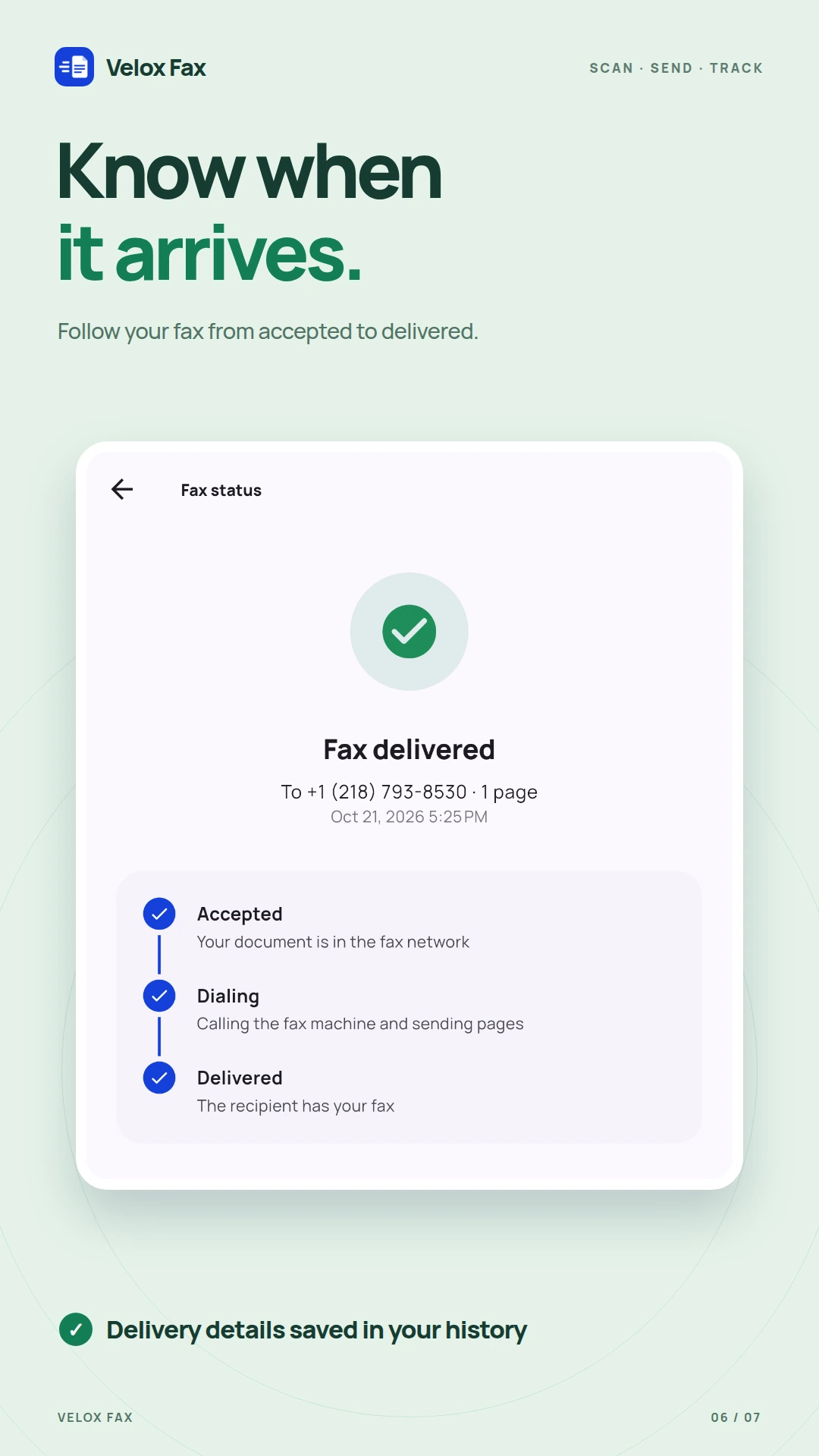
- Follow status live to confirmation: Monitor Accepted → Dialing → Delivered (typically ~1–2 minutes per page). Once the recipient fax machine confirms receipt of every page, your history keeps the destination, page count, timestamp, and outcome—and the scanned document files are removed from the app's servers.
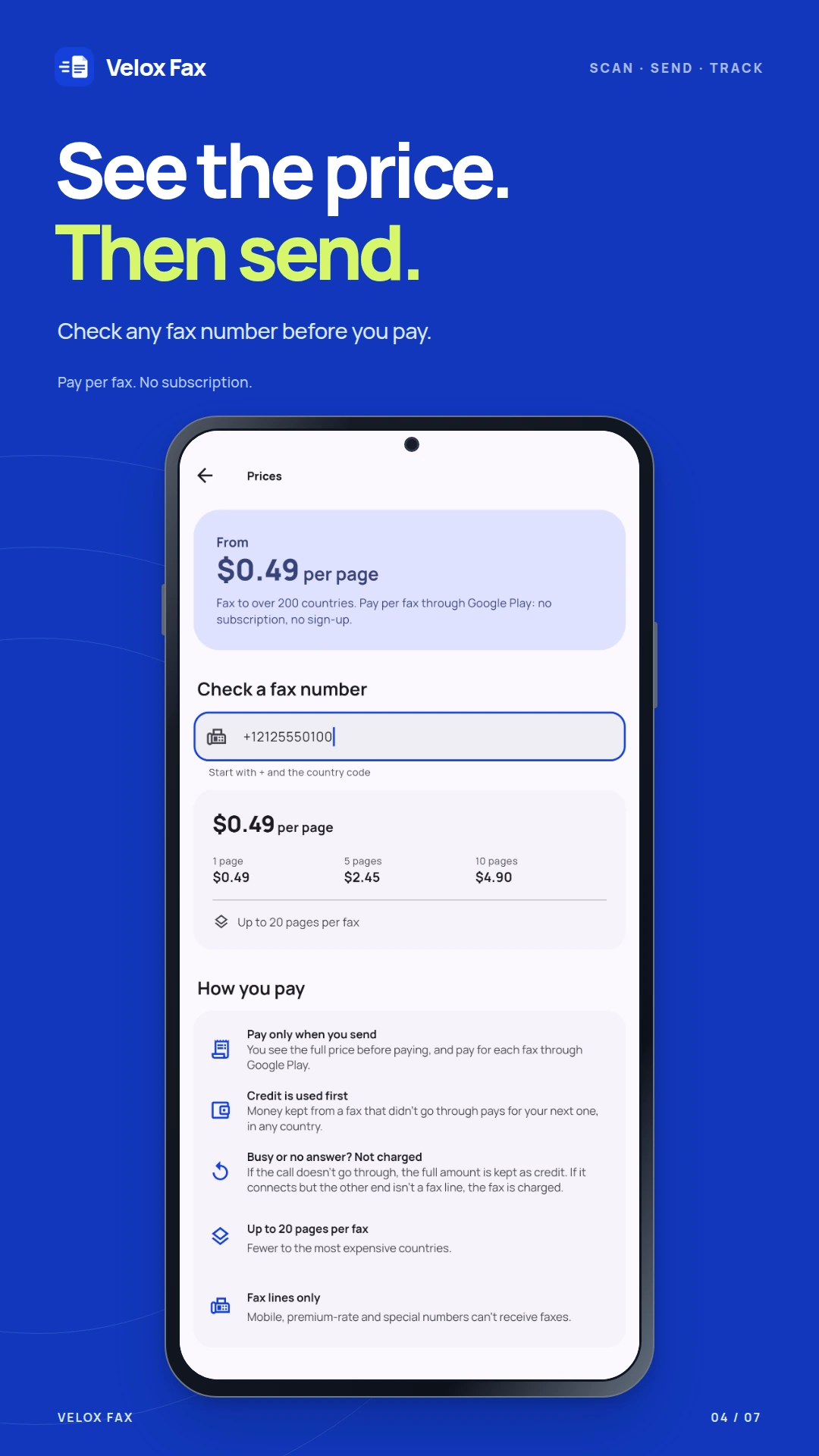
Built-in busy-line protection: if the destination fax line is busy or nobody answers, 100% of your payment stays on your account as credit toward your next fax to any country (and any existing balance is always applied first automatically). Note one key caveat: if the call connects to an ordinary voice line or automated voicemail that isn't a fax machine, the transmission attempt still counts as charged—so always confirm the number is an actual fax line first.
4 Everyday Situations Where Pay-Per-Fax Beats Visiting a Copy Shop or Subscribing
Here are four real scenarios where keeping a no-subscription mobile fax workflow saves wasted money and frantic errands:
Situation 1: Urgent Signed Contract, NDA, or Lease Amendment While Traveling
You print and sign a commercial lease, vendor NDA, or bank authorization form at home or on site, and the counterparty demands a faxed copy before 5 PM—with no multifunction office printer anywhere nearby.
With Velox Fax, lay the signed sheets on a dark flat surface, snap each page cleanly with edge auto-crop, enter the international country code (+44, +1, +49), confirm the total price in advance, and receive live delivery status right on your handset.
Situation 2: HMRC, IRS, Customs, or Cross-Border Tax Filings (Multi-Page Batches)
Accountants, UK/US founders, hauliers clearing border paperwork, and taxpayers regularly encounter 4-to-15-page forms that must travel as a single continuous fax dossier.
Rather than paying local print-shop per-page international surcharges or splitting scans across clumsy browser tools, batch up to 20 crisp pages into one transmission, wait roughly 1–2 minutes per page, and keep the timestamped record in your send history.
Situation 3: Clinic Referrals, Pharmacy Forms & Insurance Claims
When forwarding blood lab sheets, dental referrals, or policy claim packets to clinics or insurers, privacy and clean cleanup matter just as much as convenience:
- No forced sign-up & automatic server wipe: you can send without creating an account, and Velox Fax deletes scanned document files from its servers as soon as delivery completes or fails permanently.
- If you want to carry delivery history and remaining balance across phones, optional Google sign-in keeps them synced—and you can delete your account and stored log data directly inside the app at any time.
Situation 4: Sending Just 1–5 Faxes a Year Without Falling Into Weekly Trial Traps
If you send faxes every single day from a busy medical reception desk, a flat monthly plan makes sense. If you send a handful of documents a year, subscription math works completely against you:
| Feature | Typical Store Subscription Fax App | Brick-and-Mortar Print Shop | Velox Fax (Pay Per Fax) |
|---|---|---|---|
| Cost structure | "Cheap trial" converting to $4.99–$9.99/wk or $15–$30/mo | Walk-in trip + high per-page international rates | Free download · pay per fax (from $0.49/page) |
| Forgotten billing risk | High (uninstalling the app won't cancel Play billing) | Zero, but high time cost | Zero — no recurring subscription |
| Upfront rate clarity | Often buried inside paywall terms | Varies by counter staff | Checked per number before you pay or scan |
| Busy / unanswered line | Burns monthly page quota or stalls | Re-dial wait in person | 100% retained as credit for next send |
| Inbound receiving number? | Usually tied to expensive monthly tiers | Yes (at desk) | No (strictly outbound sending) |
Honest limitation: Velox Fax handles outbound sending only. It does not allocate an inbound number to receive faxes. If your business needs a dedicated virtual fax inbox to accept incoming referrals weekly, opt for a monthly inbound fax service. If you just need a reliable tool in your pocket whenever someone insists on receiving a fax, pay-per-fax avoids paying months of idle subscriptions.
5 Habits From the In-App Guide That Prevent Bounced or Blank Faxes
Directly distilled from Velox Fax's built-in sending guide, these five habits dramatically cut wasted attempts:
- Verify it is actually a fax number: Mobile phones and premium-rate/special numbers cannot receive faxes. True fax lines answer with high-pitched carrier tones/beeps—if voicemail or a person answers, verify the office's dedicated fax line first so a voice pickup doesn't charge the call.
- Place white paper over a dark matte surface: Standard fax transmits pure monochrome (black and white). Shooting against a dark wooden or charcoal surface in balanced daylight (without heavy phone shadow or glossy glare) produces crisp dark text instead of muddy gray scans that transmit slowly.
- Put a quick cover page first for large institutions: When faxing shared hospital clinics, government tax offices, or banks, include your name, return email/phone, target department, and total page count on page 1 so internal staff route the bundle accurately.
- Fax during the recipient's local office hours: Many offices turn physical machines off overnight, switch lines after 5 PM, or leave an empty paper tray over weekends.
- Trim blank separator pages: Strip empty Terms pages or blank backs before paying—fewer pages keep cost minimal and trim transmission time (~1–2 minutes per page).
Need to Send a Fax Today—or Build an Android Utility?
Download Velox Fax on Google Play or inspect the full feature walkthrough and gallery on the official Velox Fax page.
Explore more focused utilities across our Creativ Digital Android apps catalog, see how our engineering team ships custom mobile and web applications, or contact us to scope your own product.
Frequently Asked Questions
How much does it cost to send a fax with Velox Fax?
Velox Fax is free to download from Google Play (and displays ads). Sending a fax is paid per transmission starting from $0.49 per page based on the destination country and page count, with the full price shown upfront before you pay. There is never a weekly or monthly plan.
What happens if the recipient fax line is busy or does not answer?
If the call fails to connect due to a busy signal or no answer, the full payment stays in your account as credit toward your next fax to any destination country (existing credit is used automatically first). If the call connects to a live voice line that isn't a fax machine, that send is charged—so verify the recipient's fax number beforehand.
Can I receive incoming faxes in Velox Fax?
No. Velox Fax is designed specifically for outbound fax sending and does not provide a virtual receiving number. Make sure the recipient gives you a genuine landline/cloud fax number rather than a mobile or premium-rate phone number.
What happens to my scanned documents after delivery?
Your document pages are deleted from Velox Fax's servers immediately once transmission succeeds or fails permanently. Your send history preserves the recipient number, page count, date, and delivery status, and you can delete your optional Google-linked account and log anytime inside the app.